What Bionic Forms is
Bionic Forms turns the things you keep track of into an app your whole team can use. You don't write code. You describe what you need, or bring in the spreadsheet you already have.
The parts of an app
Every app is made of the same few parts. Learn these and you can build anything here.
A collection is one kind of thing you keep, like Customers, Jobs or Invoices. Its form is the list of fields each one has: a name, a phone number, a due date. A collection is a bit like one sheet in a spreadsheet, with rules about what goes in each column.
One filled-in form. One customer, one job, one invoice. A record is a bit like one row.
A way of looking at a collection: a table, cards, a board, a calendar, a timeline or a map. The records stay the same. Only the look changes.
A page of counts and charts over your records. "Open jobs: 14." "Sales by month."
Things that happen by themselves. "When a job is marked done, email the customer." You write them as a sentence.
An AI helper inside every app. It builds and changes the app when you ask in plain words, answers questions about your records, and can read files you hand it. Workflows can use AI too.
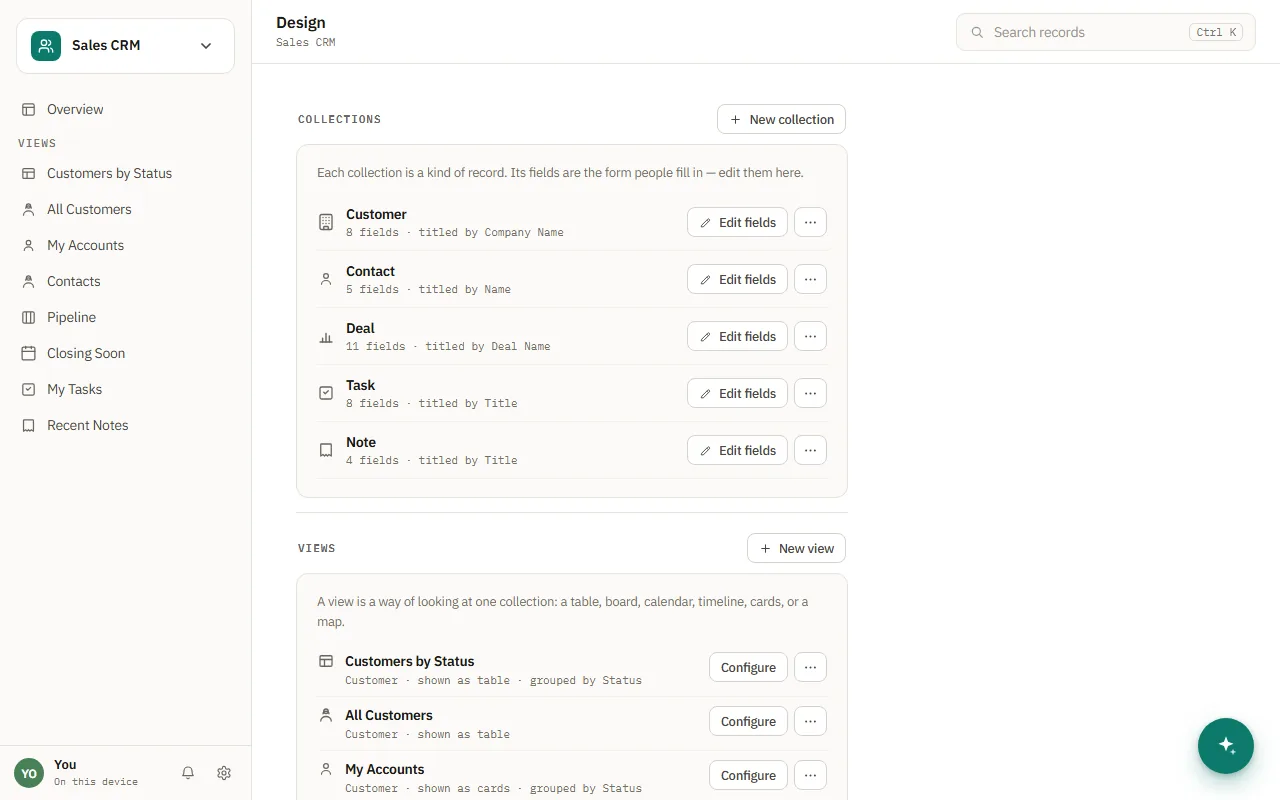
- Collections. Each one is a kind of record. Its fields are the form people fill in.
- New collection adds another kind of record.
- Edit fields opens the form builder for that collection.
- Views show a collection as a table, board, calendar and more.
- Configure changes how a view looks.
How the parts fit together
Say you run a small sales team. You might have:
- A Customer collection, with fields for company name, status and industry.
- A Deal collection, with a deal name, an amount, a stage and a link to its customer.
- A Pipeline view that shows the deals as a board, one column per stage.
- An Overview dashboard with the total of open deals.
- A workflow: "When a deal is marked won, notify me."
That is the sample app in every picture in this manual. You can open the same kind of app yourself, free, from the live demo.
Find your way around
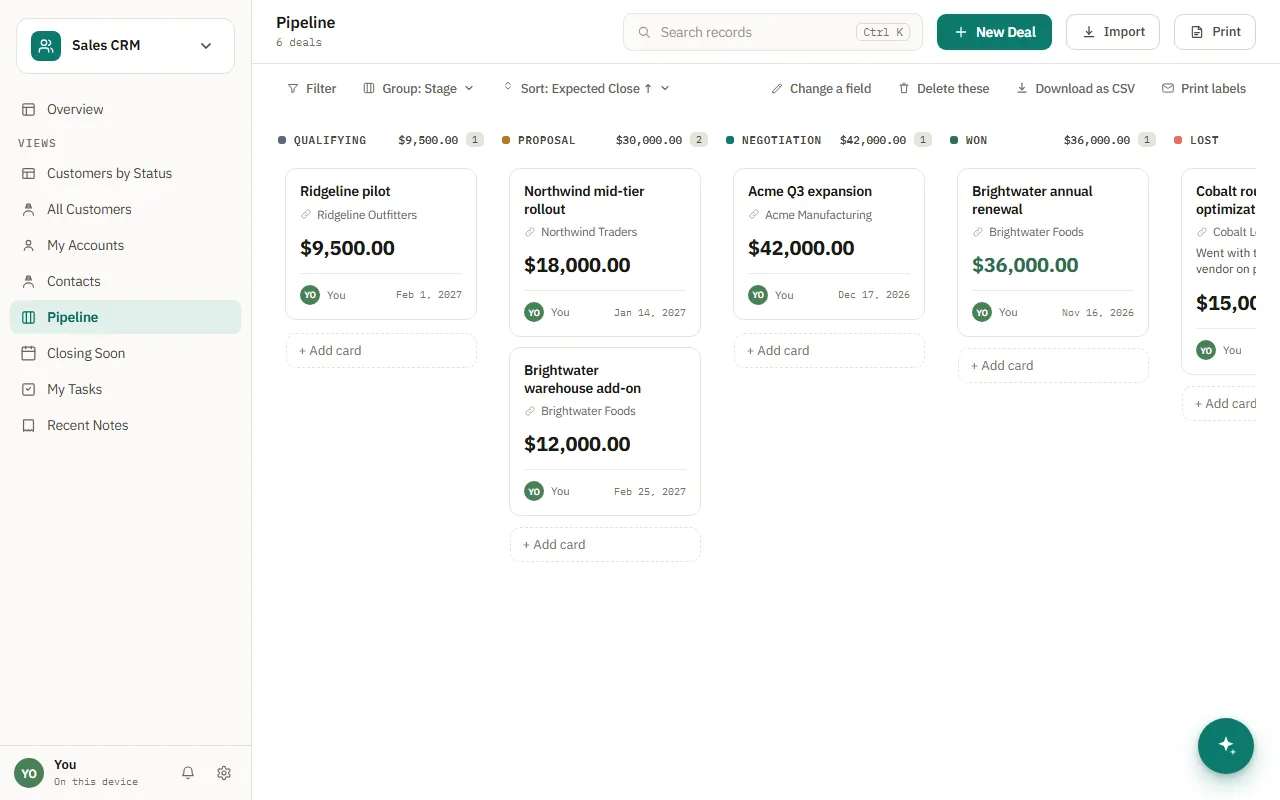
- The app menu. Switch apps, open Design, Settings and Trash.
- Your views and dashboards. Click one to open it.
- Filter, Group and Sort. Change what you see, just for you.
- New Deal adds a record. Import brings in a file.
- Search finds any record. Press Ctrl+K anywhere.
- The assistant. Ask it anything about this app.
Who can do what
Everyone in an app has a role. The role decides what they can do:
- Reader: can look, but not change anything.
- Editor: can add and change records.
- Designer: can also change the app itself: forms, views, dashboards and workflows.
- Manager: can also add people, and sees every record.
- Owner: the person who made the app. Can do everything.
Where to go next
- Make your first app (five minutes).
- Learn the form builder and every field type.
- Set up views so people see what they need.
- Invite your team.
Moving off Access, FileMaker or a big spreadsheet? Tell us what it does and we will build a working version for you. No fee and no card.