Links between records
A link joins two records, like an order and the customer who placed it. Links are what turn a pile of lists into an app.
Make a link
Add a Link field to a collection and say which collection it points to. For example, give Deals a field called Customer that points at Customers.
A link field holds one record. A deal has one customer. If something can belong to several, it is the other side that links: each deal links to its one customer, and a customer has many deals.
The other side fills itself in
Open a customer and you'll find a tab for that customer's deals. You don't set that up. It is there because the Deal link points at Customers.
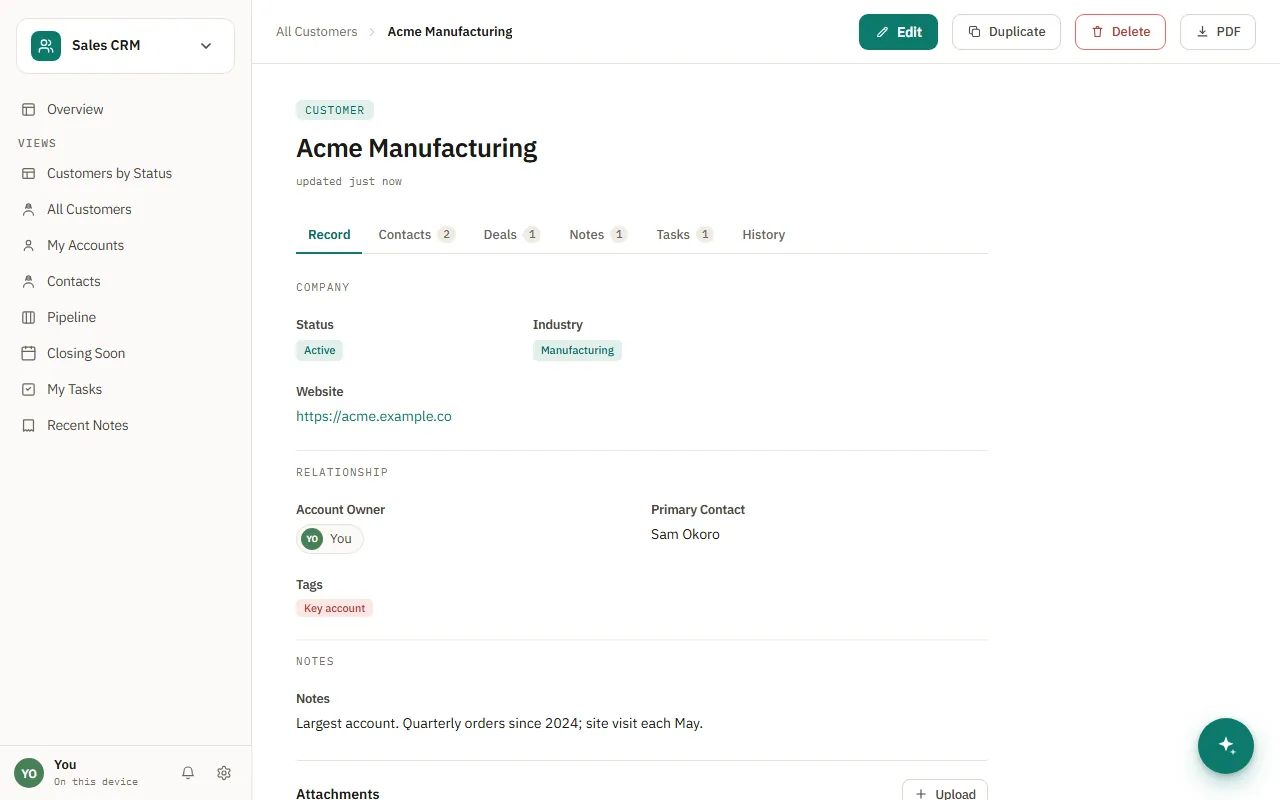
- The record. Its name, then its fields.
- Tabs for every kind of record that links here, with how many. Each one appears by itself.
- History of every change to this record.
Press New on that tab and the new deal is linked to the customer for you.
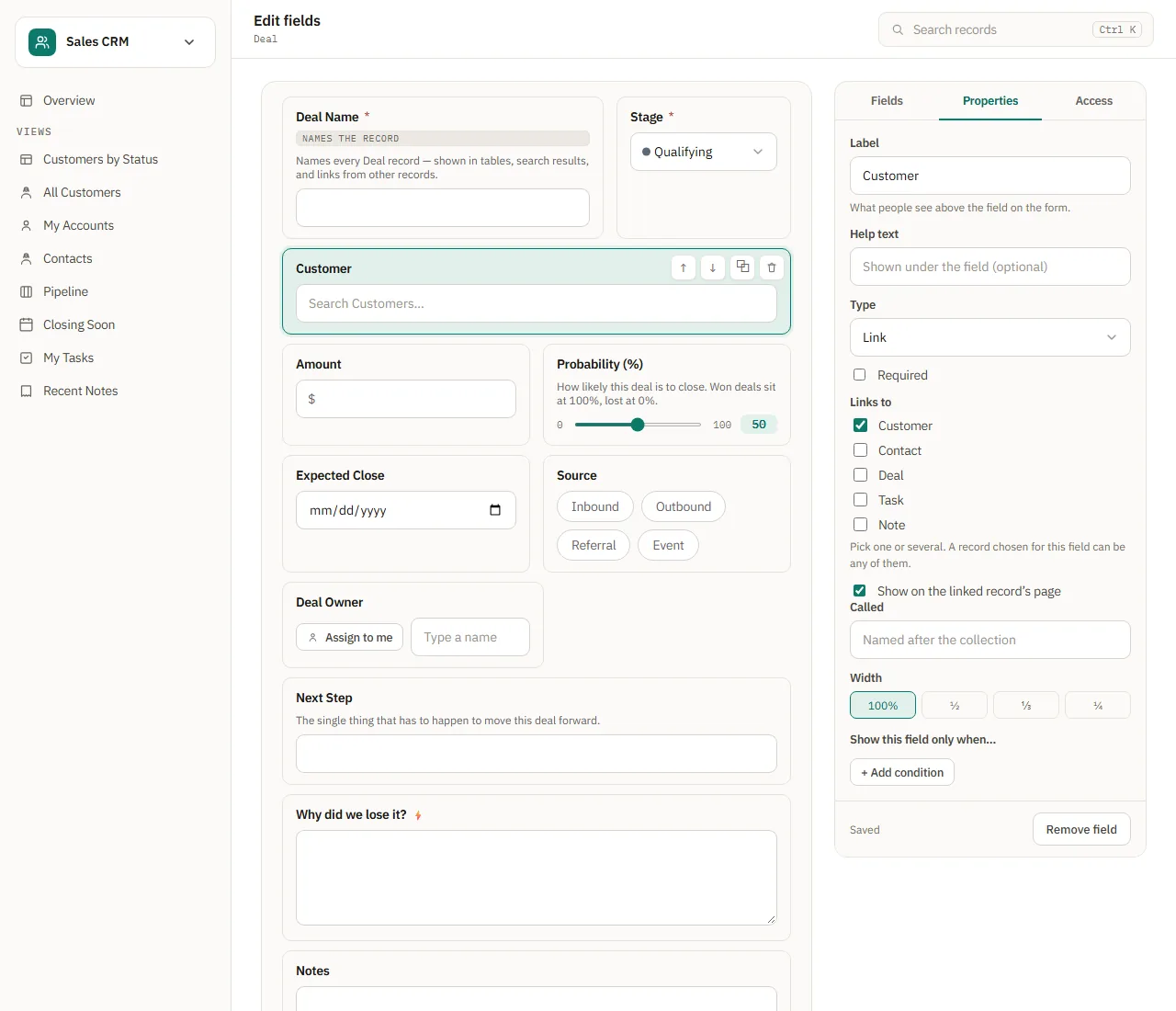
- The Link field on the Deal form.
- Type: Link.
- Links to: which collection, or several.
- Show on the linked record’s page: makes the tab on the other side.
- Called: the name of that tab.
To leave a tab off, open the link field in the form builder and untick Show on the linked record’s page. To rename the tab, change Called.
One link, several kinds
A link can point at more than one collection. A comment can belong to a job or a customer. Tick both under Links to.
A link to the same collection
A link can point at its own collection. An employee's Reports to field points at another employee, and each manager gets a "Direct reports" tab.
Links in workflows
A workflow can reach across a link. "When a deal is won, email the customer's contact." "When a line item changes, add up its order's total."
Moving off Access, FileMaker or a big spreadsheet? Tell us what it does and we will build a working version for you. No fee and no card.