History and trash
Nothing you do is lost. Every change is kept, with the name of the person who made it.
See what changed
Open a record and press the History tab. You see the versions, newest first: who saved each one, when, and which fields changed. Filter by person, by field, or by date.
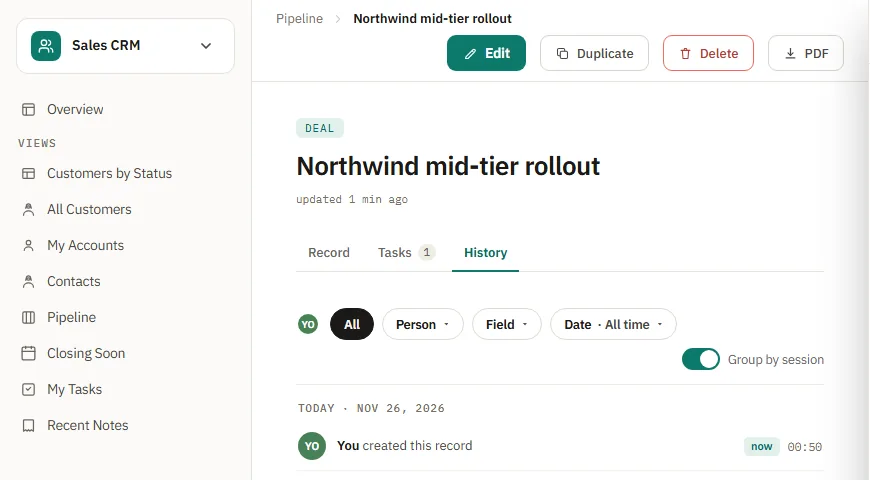
- History tab.
- Filter by person, by field, or by date.
- Group by session keeps one sitting's edits together.
- Each change: who, what and when. Older versions have Restore.
Put an old version back
Each older version has a Restore button. Restoring doesn't erase the past. It saves the old version as a new one on top, so even the restore can be undone.
Anyone who can edit the record can restore it.
Deleted records
Deleting a record moves it to the Trash. You get an Undo button straight away. Later, open the Trash from the app menu, find the record, and press Restore to bring it back whole.
The Trash is never emptied by itself.
You put records back one at a time. There is no "undo everything since Tuesday" button.
Moving off Access, FileMaker or a big spreadsheet? Tell us what it does and we will build a working version for you. No fee and no card.